Office 365 (Enterprise) tenant deployment
This operation needs to be performed only once for all users. It requires an account with admin rights in Office 365
Deployment procedure
1. Go to https://portal.office.com
2. Login with a tenant admin
3. Click on "Admin" in the shortcut bar
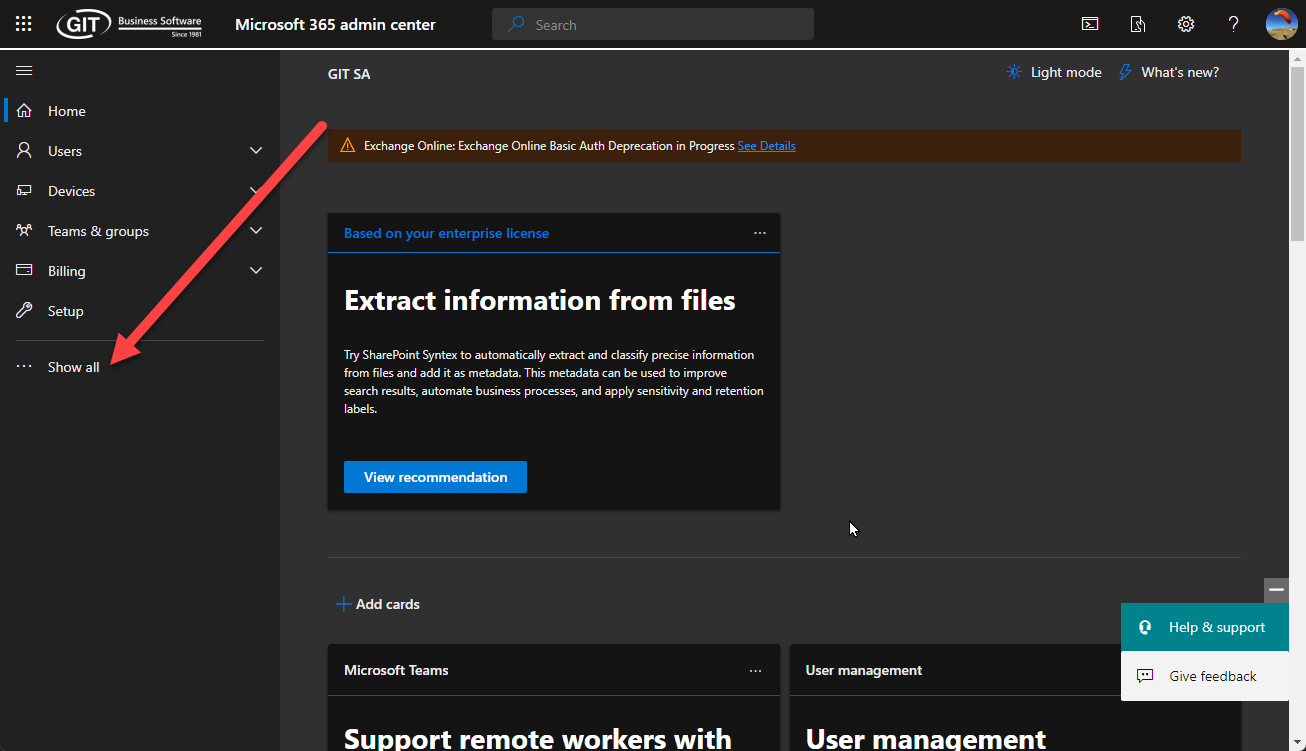
4. Clik on "Show all..."
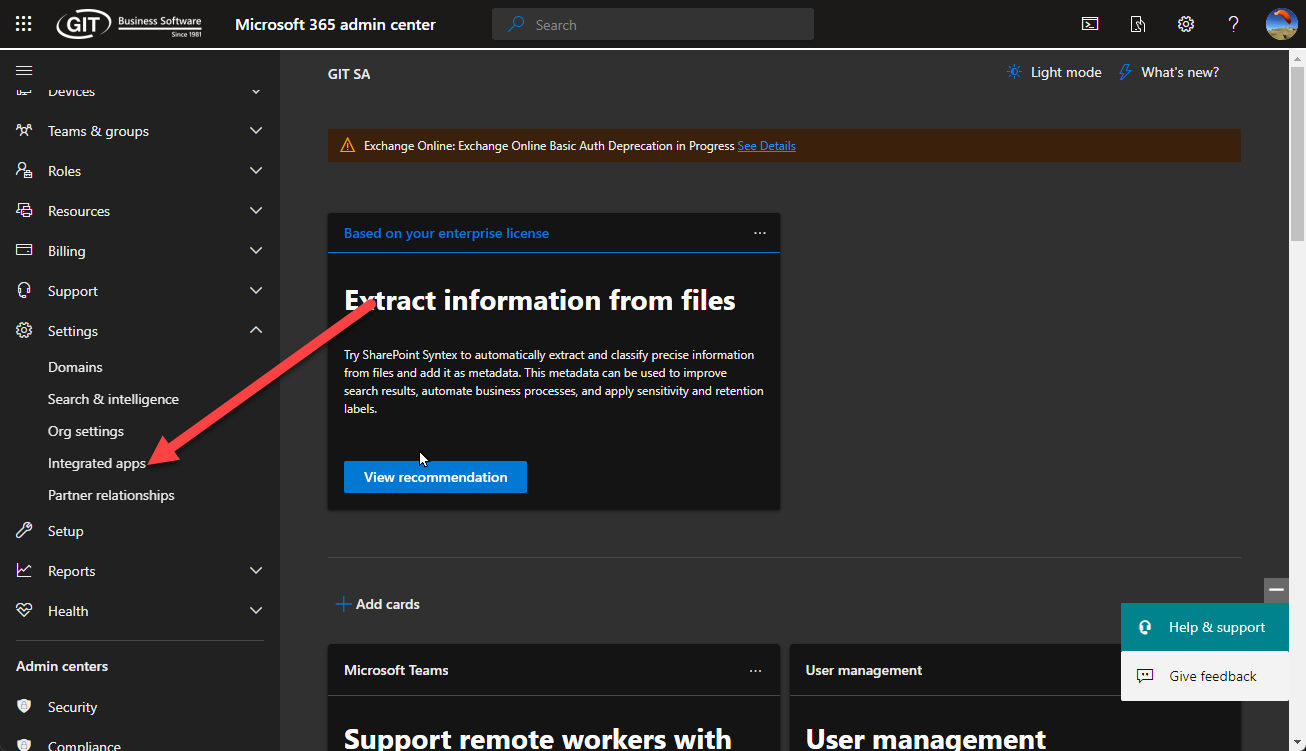
5. Under "Settings", Select "integrated apps"
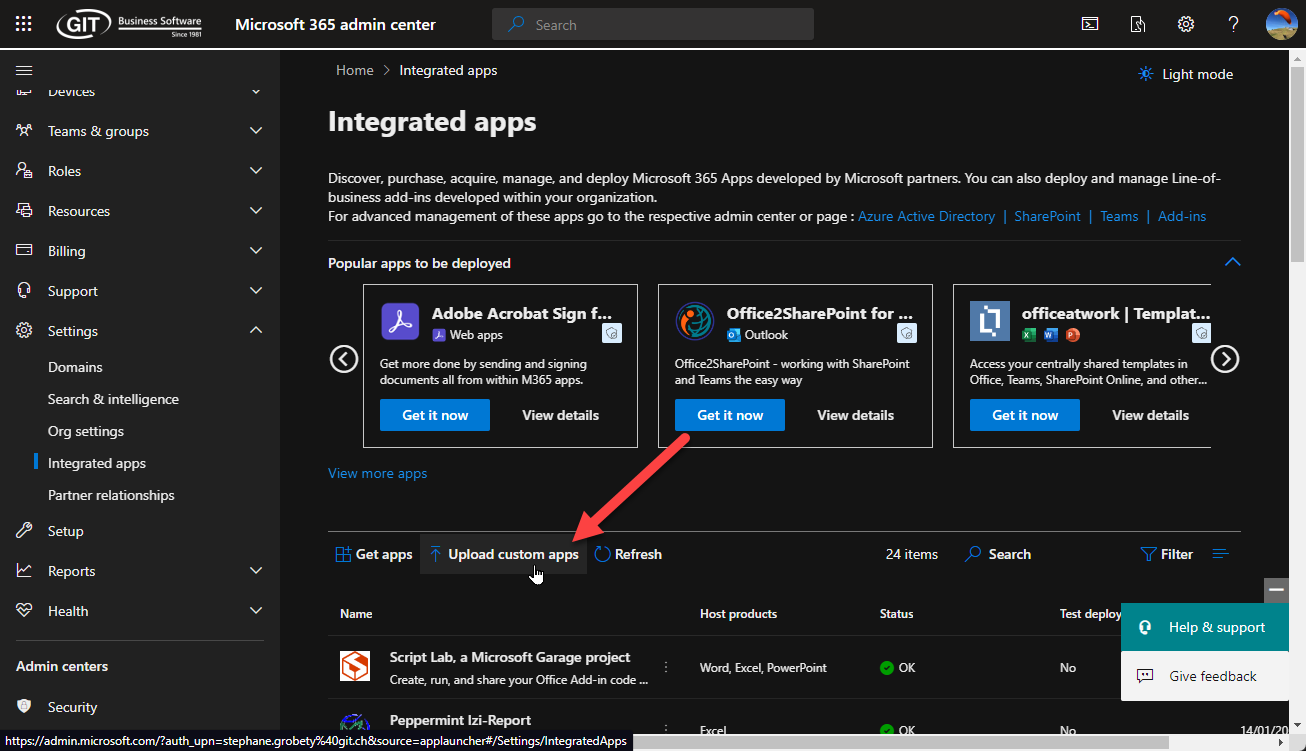
6. Click on "Upload custom app"
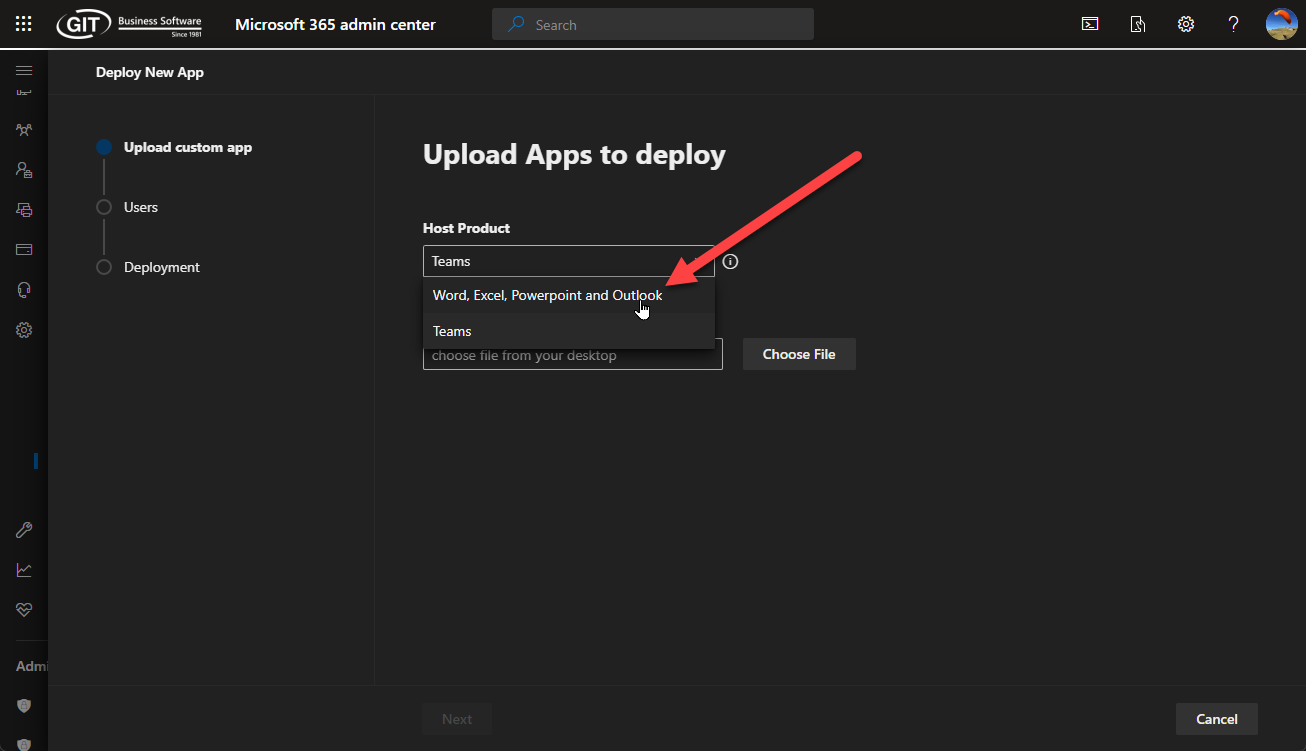
7. Select "Word, Excel, Powerpoint and Outlook"
8. Select "Provide a link to the manifest file" and enter
https://peppermint.git-cloud.ch/izireport/manifest.xml
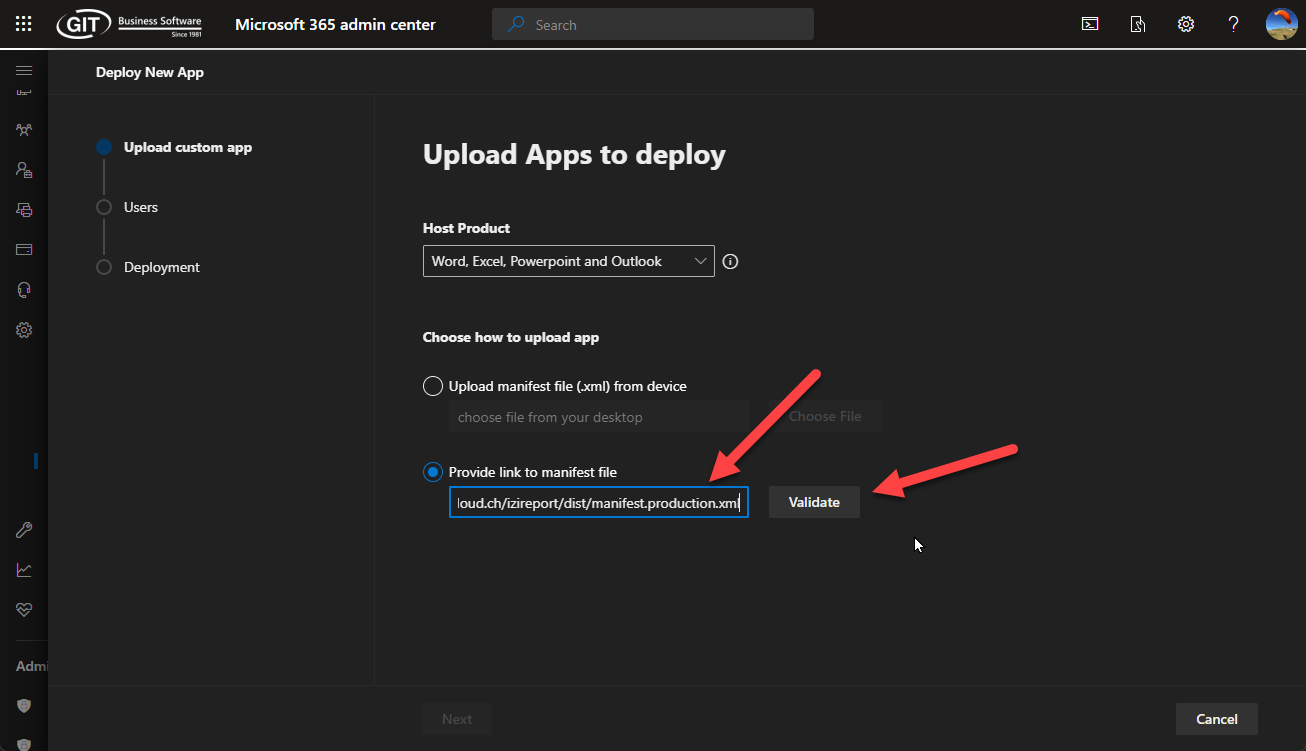
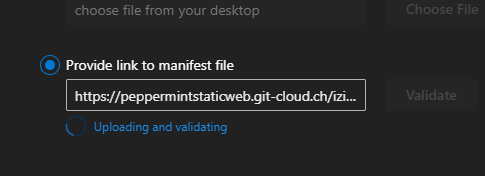
9. Click "Validate" and wait...
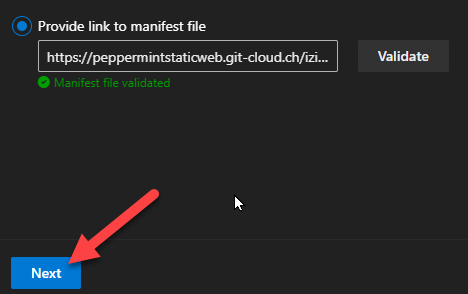
10. Press "Next"
Was this article helpful?
That’s Great!
Thank you for your feedback
Sorry! We couldn't be helpful
Thank you for your feedback
Feedback sent
We appreciate your effort and will try to fix the article